Smart Caddie: Golf GPS
- 3.8
- Rating
- 1.00M
- Installs
- Free
- Price

 Analysis by App-foxy
I found Smart Caddie: Golf GPS most useful when I treated it as a practical course companion rather than a complete replacement for dedicated golf hardware. Its main appeal is straightforward: it brings shot tracking, distance information, scoring, and caddie-style guidance together in one sports app. That combination can make a round easier to manage, especially when I want quick information without carrying another device.
My overall view is positive, but not uncritical. The app is free to install, aimed at Everyone, and developed by GOLFZON CLOUD. It has attracted over a million installs and holds a 3.8 average from around fifteen thousand ratings, which suggests a sizeable audience but also a noticeably mixed experience. I can understand both sides. When the app fits my routine, it is convenient and focused. When I expect the precision, simplicity, or consistency of specialist equipment, its limitations become more obvious.
What using Smart Caddie feels like on the course
The first thing I appreciate is the way the app is built around decisions I actually make during a round. I am not opening it simply to browse golf content. I am checking where I am, judging distance, recording what happened, and trying to keep my score organized. That practical focus gives it more value than a basic scorecard app, because it connects planning and record-keeping instead of separating them.
You May Also Like

 Blood Strike: 2.5 Anniversary
Blood Strike’s Loadouts Turn Every Drop Into a Tactical Gamble
A close look at Blood Strike’s custom loadouts: how fast access to signature weapons reshapes its battle royale rhythm, rewards preparation, and narrows the gap between fights.

 Pandora - Music & Podcasts
Pandora’s Music Is Easy to Start, but Harder to Recover
Pandora’s strength is its low-effort path from a seed to a station. Its weak spot is how much confidence it asks you to place in connection, setup, and quiet recovery.

 8 Ball Pool
 Is Built on Rivalries, Rematches, and Routine
A close look at the rivalries, rematches, shared routines, and unanswered safety questions that turn a quick pool match into a persistent mobile community.

 Samsung Music
’s Quiet Strength Is Playing What You Already Own
Its reach comes less from spectacle than from dependable access to a personal library. That simplicity is both the app’s strongest retention engine and its ceiling.

 AccuWeather: Weather Radar
AccuWeather Review: A Quick, Clear Forecast for Everyday Decisions
For everyday plans, the best forecast is the one you can understand quickly. AccuWeather makes rain timing, radar, and local conditions easy to act on, with a few trade-offs.

 Hill Climb Racing
Why Hill Climb Racing Still Turns Crashes Into One More Run
A tiny car, a bumpy hill and one more upgrade: Hill Climb Racing keeps resurfacing because its simple chaos makes every near-miss feel personal.
More From Our News Desk



In a typical round, I would use the GPS view before a shot, confirm the distance I need, and then return to the scoring side after playing the hole. That sounds simple, but reducing the number of separate tools matters. A paper card can record strokes, while a general map app can show location, but neither is designed around the rhythm of a golf hole. Smart Caddie feels more relevant because the information is presented in a golfing context.
The strongest part of the experience is the relationship between distance and shot tracking. A distance number is only useful if it helps me choose what to do next. After a shot, recording the result gives the round more structure: I can think about what happened rather than relying on memory at the end. This is particularly helpful for golfers who are trying to understand their habits, such as repeatedly coming up short, taking unnecessary risks, or losing strokes around a certain part of the hole.
I also like that the app can serve two different moods. On a relaxed weekend round, I can use it lightly as a digital scorecard and occasional distance reference. During a more deliberate practice round, I can pay closer attention to each shot and use the record as a way to review decisions. That flexibility is more valuable than a feature list suggests, because not every round deserves the same amount of analysis.
Distance information is useful only when I use it carefully
One of my most important takeaways is that GPS distance should be treated as a decision aid, not an unquestionable instruction. A number on screen does not account for every factor I can see from the tee or fairway. Wind, elevation, lie, hazards, turf conditions, and the actual shape of the landing area still require judgment. Smart Caddie can help me start that thought process, but it cannot make the shot for me.
This is where the app works best for newer and intermediate golfers. Someone who is still learning how far they hit each club can use a distance reference to become more disciplined about club selection. Instead of choosing based purely on instinct, I can compare the hole situation with my own typical shot. The app becomes more useful as my golfing decisions become more intentional.
There is also a small but meaningful workflow improvement in checking information before I address the ball, rather than repeatedly looking at the phone while preparing to swing. I prefer to open the relevant view, take in the distance, put the phone away or stop interacting with it, and then concentrate on the shot. This keeps the technology from becoming a distraction and makes the round feel less like a screen-based activity.
Scoring gives the app value beyond a single shot
The scoring side is easy to underestimate. A digital scorecard is not exciting, but it solves a real problem: remembering every stroke, penalty, and hole result while also trying to enjoy the round. When I keep the score in the same app that I use for distance information, I do not have to reconstruct the round later from scattered notes.
That makes Smart Caddie especially practical for casual groups where nobody wants to be the permanent scorekeeper. One person can manage the record, but the app is more useful when I treat it as my own round log rather than assuming it will replace communication among playing partners. I still need to confirm scores with the group, particularly when the pace is quick or several people are entering information.
A good habit is to update the score immediately after finishing each hole. Waiting until several holes have passed creates the exact memory problem a digital scorecard is supposed to prevent. I also prefer to review the entry before moving to the next tee. That extra moment catches simple mistakes while the details are still fresh and avoids turning the end of the round into an editing session.
Shot tracking can turn a round into a learning exercise
The most interesting use case is not merely recording a score. It is using shot information to notice patterns. If I mark shots consistently, I can ask better questions after the round: Did I choose aggressive targets too often? Did poor approaches cause more trouble than missed drives? Did I lose focus after a penalty? Even without turning the app into a formal coaching system, that habit can make practice more purposeful.
Consistency matters more than detail. If I only record the impressive shots, the record becomes a highlight reel and teaches me very little. I get more value by logging ordinary shots as well, including the ones that reveal poor course management. That is a non-obvious strength of a connected golf app: it encourages me to review decisions, not just celebrate outcomes.
I would not use the app as the sole basis for changing my swing. A shot record can show that something is happening, but it does not explain the technical cause. For that, a lesson, launch monitor, or knowledgeable playing partner may be better. Smart Caddie is strongest at helping me identify questions worth investigating, not at answering every technical question itself.
Where the experience becomes less comfortable
The main weakness is that a phone is still a phone. Looking at a screen during golf can interrupt concentration, slow down a group, and create a temptation to over-check information. Dedicated golf watches and rangefinders are often better when I want a quick glance without taking my phone out. A physical rangefinder can also feel more direct for a golfer who mainly wants a single target distance and does not care about scoring or shot records.
Battery and handling are practical concerns too. GPS use, a bright display, and repeated interaction are not ideal for a long day outdoors. I would begin a round with the phone charged, reduce unnecessary screen use, and avoid treating the app as something that needs to remain open constantly. If I am already carrying a watch or another golf device, I have to decide whether the additional phone workflow genuinely adds value.
The interface can also feel more demanding than a paper card. Paper is immediate: write a number and move on. An app offers more context, but that context can become friction if I want to play quickly. This is why I think the best experience comes from deciding in advance how much I intend to use. For a casual round, I would keep interaction minimal. For practice, I would accept the extra effort because the record has a clear purpose.
The mixed rating makes sense in that context. Smart Caddie is not a universal answer for every golfer or every round. Some users will value the combination of tools, while others will find the phone-based process less convenient than a simpler alternative. I would not judge it solely by whether it replaces a premium golf watch; that is not the same job. I would judge it by whether it makes my own routine more organized without adding more distraction than benefit.
Who should download it, and who should look elsewhere
I would recommend it to golfers who want more than a basic scorecard but are not ready to buy dedicated equipment. It is also a sensible option for players who are beginning to take course management seriously. The app gives them a way to connect distance awareness, shot records, and scoring without building a complicated setup from separate services.
It is particularly well suited to someone who plays a mixture of casual and practice rounds. During casual golf, I can use only the information I need. During practice, I can record more carefully and review the round as a learning exercise. That ability to scale the amount of interaction is a better reason to use it than simply having many tools available.
I would be more cautious about recommending it to golfers who dislike using a phone on the course. If I want a glanceable experience with minimal handling, a golf watch may be a better fit. If I only need a target distance, a dedicated rangefinder may be quicker. If I only want to record strokes, a paper card or a lightweight scorekeeping app could feel less intrusive.
Players who already own reliable specialist equipment should also consider overlap. Smart Caddie may still be useful for its scoring and shot-recording role, but it might duplicate functions they already use. In that situation, the decision comes down to workflow rather than capability: do I want one central place for my round, or do I prefer the speed of separate tools that I already know?
Free access, paid extras, and what to expect
The app is free, which makes it easy to try without committing money first. That matters because the right question is not whether every golfer should use it, but whether its particular combination of GPS, caddie functions, scoring, and tracking fits the way I play. I would spend time with the basic experience before considering any optional purchase.
There are in-app purchases ranging from $2.99 to $129.99 per item. The wide range is worth noticing. I would not assume that paying automatically improves every part of my golf, and I would avoid buying anything simply because a more advanced option appears available. The sensible approach is to identify a specific problem first—such as needing a certain workflow or additional capability—and then decide whether the purchase solves it.
For a beginner, the free starting point is enough to answer the most important questions: Is the GPS view comfortable to use? Can I keep up with scoring? Does recording shots help me, or does it distract me? Those answers are more useful than comparing purchase options before I have completed several rounds with the app.
How it compares with familiar golf alternatives
Compared with a paper scorecard, Smart Caddie offers more immediate course information and a more structured way to record shots, but paper remains faster and more social. A card never needs charging, and it does not pull my attention toward a glowing screen. If my priority is simply remembering the score, paper may still be the better tool.
Compared with a basic golf GPS app, this app has a broader purpose because scoring and shot tracking sit alongside distance guidance. That can reduce the need to switch between tools. The trade-off is that a broader app can feel busier than a specialist tool built around one task.
Compared with a dedicated rangefinder, Smart Caddie is more useful for golfers who want a round record rather than one measurement at a time. The rangefinder wins when I need speed and a direct view of a target. The app wins when I want the context of the hole and a history of what I did.
Compared with a golf watch, the phone-based approach may be more accessible for someone who already carries a smartphone, while the watch is usually more convenient during the swing routine. I would choose the app for flexibility and combined record-keeping, but I would choose the watch for the least disruptive on-course interaction.
Small habits that make the app more useful
My first recommendation is to decide what I am tracking before teeing off. If I try to capture every possible detail without a clear purpose, the app becomes a chore. I might focus on distances and scores for one round, then add more careful shot notes during a practice session. This keeps the technology aligned with a goal instead of turning the round into data entry.
Second, I would use it to test course-management choices rather than only club distance. For example, I can compare a conservative layup with an aggressive attempt and see whether the risk was worth taking. That is more valuable than obsessing over one perfect number because it connects the app to actual scoring decisions.
Third, I would review the round soon afterward, while I still remember the conditions and my thinking. A score alone rarely explains why a hole went badly. A quick note to myself about wind, nerves, a poor lie, or an overly ambitious target can make the record much more useful later. The app can preserve the structure of the round, but my memory supplies the context.
Finally, I would keep the phone interaction predictable for playing partners. Checking before a shot, recording after a hole, and avoiding long pauses is a simple courtesy. The best golf technology is the technology that helps without making everyone else wait.
My final recommendation
Smart Caddie: Golf GPS is a worthwhile free sports app for golfers who want distance guidance, shot tracking, and scoring in one place. I like it most as a bridge between a simple scorecard and dedicated golf hardware. It gives a newer player a clearer routine and gives an improving player a way to examine decisions across a round.
Its limitations are equally clear: phone interaction can be distracting, GPS information still requires judgment, and golfers who want instant, glanceable measurements may prefer a watch or rangefinder. The app is not automatically the best choice just because it combines several functions. Its value depends on whether I will actually use those functions consistently.
The current version is 5.0.18, and the app has been available since August 9, 2021. Those details matter less to me than the practical test: after a few rounds, do I feel more organized, do I make better-informed choices, and does recording the round teach me anything? If the answer is yes, I would recommend keeping Smart Caddie in the golf bag’s digital toolkit. If I only want a fast distance check or a distraction-free scorecard, I would choose a simpler alternative instead.
My verdict: Smart Caddie is best for golfers who want one flexible companion for planning and reviewing a round, not for players seeking a perfect substitute for dedicated equipment. Its strongest feature is the connected workflow between distance, shots, and score; its biggest weakness is the attention that a phone can demand. Used selectively, it can make golf more deliberate without taking the enjoyment out of it.
FAQs for Smart Caddie: Golf GPS
01What is Smart Caddie: Golf GPS, and what does it do?
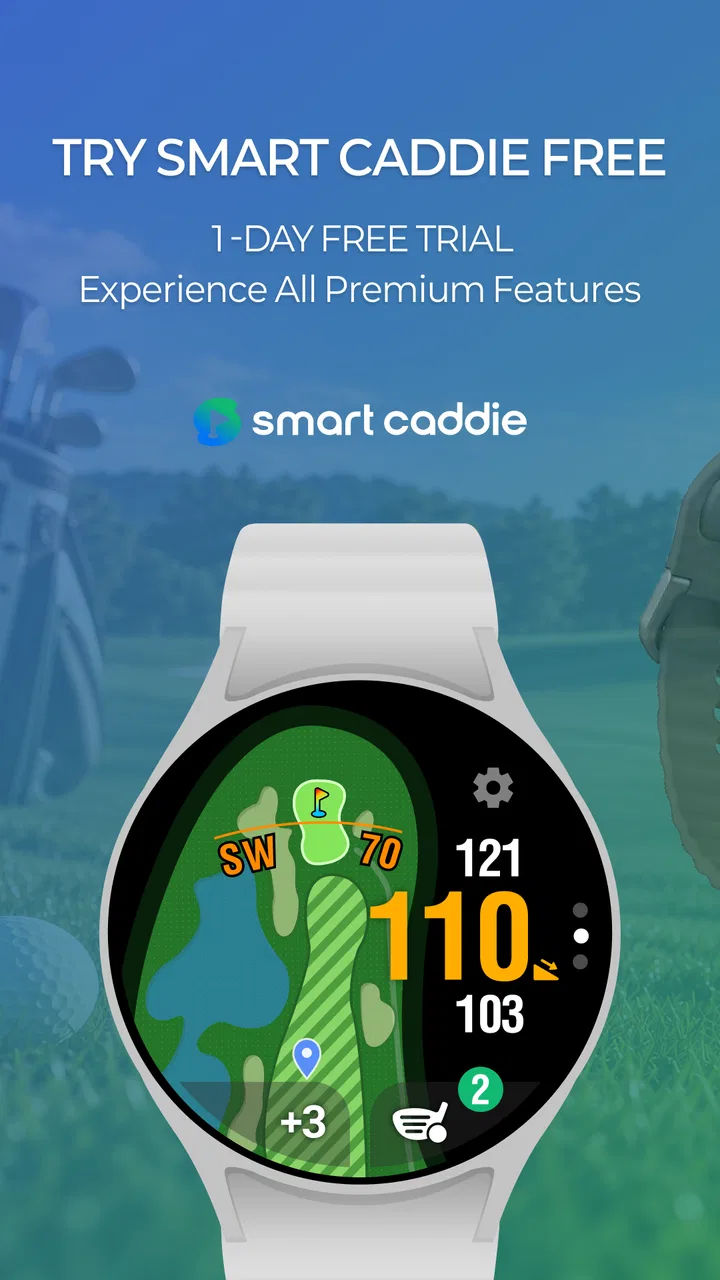
Smart Caddie: Golf GPS is a golf course management and distance-measuring app designed to help players make better decisions during a round. It can provide GPS yardages to important targets such as the front, middle, and back of the green, along with course maps and additional information. Depending on the device and subscription, available features may include shot tracking, scorekeeping, club recommendations, and smartwatch support.
02Does Smart Caddie work on every golf course?
Smart Caddie includes a large database of golf courses, but coverage and feature availability can vary by country, course, and region. Before relying on the app during an important round, search for your intended course and check whether its map and measurements are available. Some courses may have limited information, outdated layouts, or fewer advanced functions than fully supported courses.
03Do I need an internet connection to use Smart Caddie on the course?
An internet connection may be required to download course data, sign in, update maps, or access certain online features. Once the relevant course information has been downloaded or cached, some GPS functions may continue to work without a strong mobile signal, although this can depend on the device and app version. It is best to open the app and prepare the course before arriving.
04Is Smart Caddie free, or does it require a subscription?
Smart Caddie may offer basic functions at no cost, while advanced tools and premium content can require a paid membership or in-app purchase. Subscription benefits may include enhanced course maps, additional statistics, automatic shot tracking, club recommendations, or expanded smartwatch features. Review the current pricing, trial terms, renewal conditions, and supported features in the app store before subscribing.
05Which devices are compatible with Smart Caddie, and does it drain the battery?
Compatibility depends on the operating system, device model, and the specific Smart Caddie features you want to use. The app may work on compatible Android and iOS phones, while selected smartwatch functions require supported wearable hardware. Continuous GPS use, a bright display, Bluetooth connections, and frequent location updates can consume battery, so starting with a full charge or carrying a power bank is advisable.
Pros
- Accurate GPS distances to greens
- hazards
- and course landmarks
- Large database of golf courses across many countries
- Aerial course maps make shot planning quick and intuitive
- Tracks scorecards and key statistics during each round
- Useful club recommendation features for improving course strategy
Cons
- Many advanced features require a paid Premium subscription
- GPS use can noticeably reduce battery life during long rounds
- Course data may occasionally be outdated or incomplete
- Some screens feel crowded when viewed in bright sunlight
- Requires location access and reliable mobile data for best results

Smart Caddie: Golf GPS
Gallery